Compare · TradingView
EdgeDepth vs TradingView
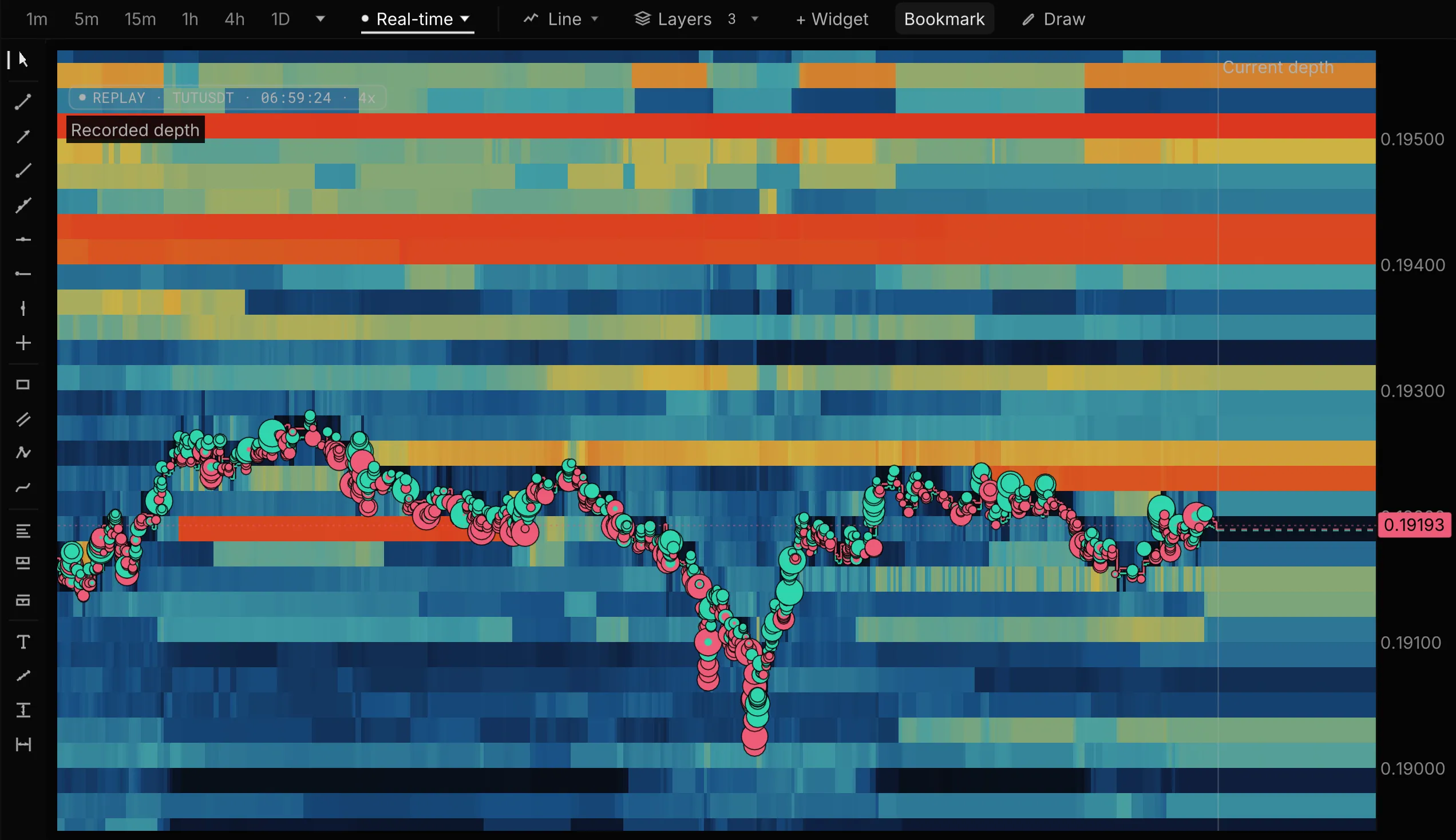
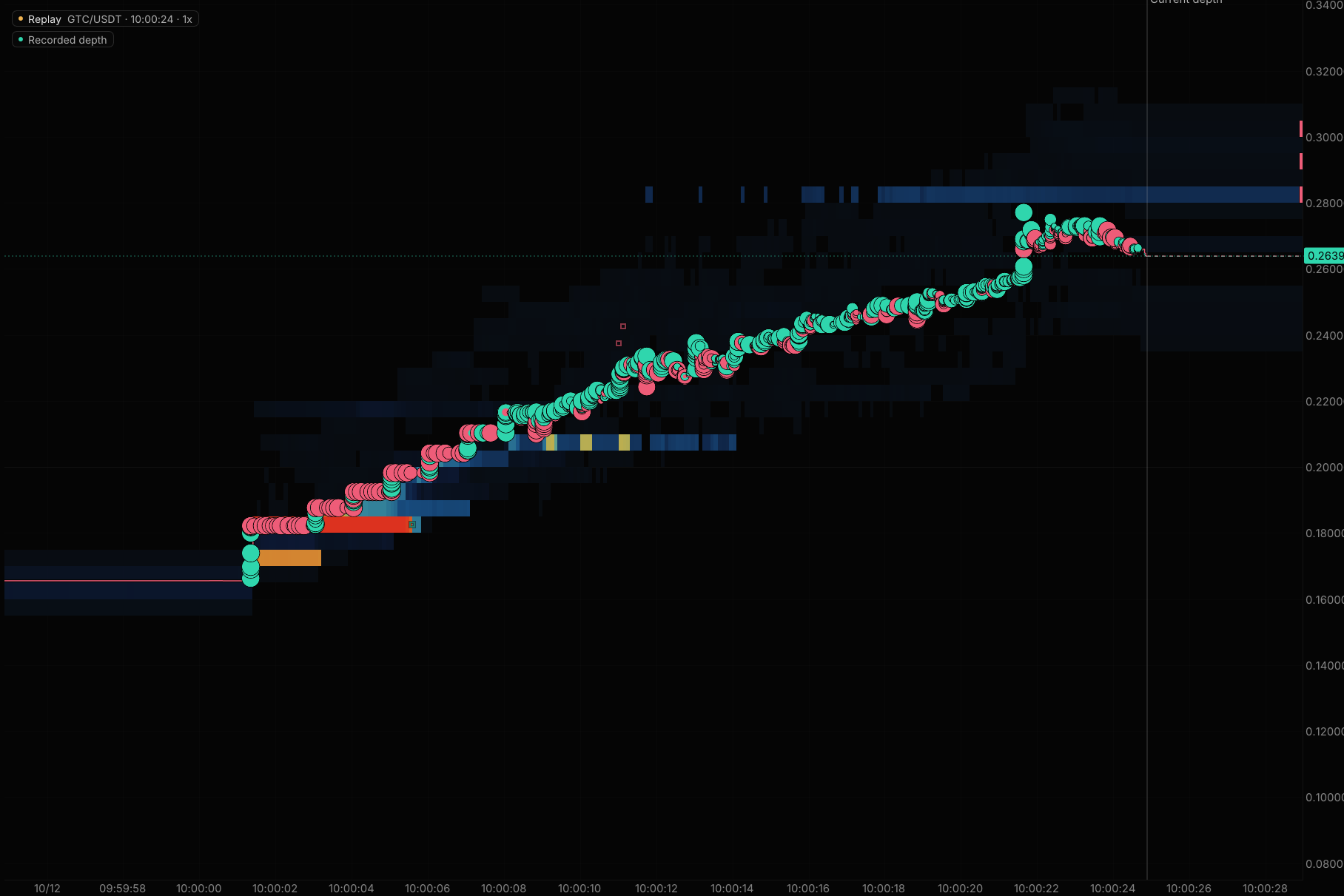
TradingView replays bars. EdgeDepth replays the order book behind them.
TradingView charts every market. EdgeDepth goes inside crypto perps: the recorded book and trades in replay, footprint on every market, and liquidation maps scored in public.
What EdgeDepth adds
-
The book behind the bar
Bar Replay plays hosted bars, with ticks for 7 days on Ultimate, and its plans list no order-book history. EdgeDepth replays the recorded book and every trade, from the candle you right-click.
-
Footprint without the top plans
TradingView lists footprint from Premium ($69.95 a month). EdgeDepth's footprint and TPO are free on every market, and Pro adds live depth and liquidations on every market for $29/mo.
-
Liquidation levels, scored
TradingView shows reported liquidation totals. EdgeDepth draws liquidation levels and publishes how often they met what happened, misses included.
Side by side
| Question | TradingView | EdgeDepth |
|---|---|---|
| Replay | Bar Replay on hosted bars: Essential 6 months of 1-minute bars, Plus 1 year, Premium and up all of it; ticks for 7 days on Ultimate. | Scroll back on any chart, right-click a candle and Replay from here: the recorded book, every trade and reported liquidations, tick by tick, in the browser. Up to 30 days of Binance on Pro, plus Hyperliquid and Bybit. |
| A day you did not watch | Bars yes; its plans list no order-book history. | Recorded on our servers whether or not you were watching: Binance order books from 15 May 2026 (majors) and 5 June 2026 (every market). Order-book replay covers the last 30 days on Pro and 90 on Research; older days stay searchable, and archived moves keep their full replay. |
| Liquidations | Reported liquidations from six exchanges including Hyperliquid, as an indicator and in the screener. | Reported liquidations on every market with Pro, Hyperliquid real-position levels, and liquidation maps scored in public every day, misses included. |
| Platform | Web, desktop and mobile. | Browser. No install, nothing to record or download. |
| Markets | Every asset class, with trading through selected brokers. | Binance USDT-M, Hyperliquid and Bybit perpetuals, live and recorded. Research history on Binance USDT-M. |
| Testing a setup | Pine strategies on the chart symbol, bar by bar, with commission and slippage settings. | Research (work in progress): count every past time a setup appeared across the recorded Binance markets, using order-flow readings like book imbalance, then see what trading it would have paid after fees and slippage. |
| Price | Basic free; Essential $14.95, Premium $69.95 (footprint), Ultimate $239.95 a month. | Free: Bitcoin live depth all day. Pro $29/mo, or $20/mo billed yearly. |
Scored in public
Every level we draw is checked against what happened.Misses included.
Any tool can draw bright lines. Without a score, you cannot tell a level that matters from one that just looks good. A map that shows its misses is one you can believe when it hits.
 BTC/USDT
  Binance Futures
5 to 12 Oct 2026 · 8 scored days
9%of the time, price sat at our BTC levelsabout 15 of 172 hours scored
64%of the liquidated dollars came in those minutes$197.76M of $308.58M reported
Price at our levelsEverywhere else
7.2×the average rate of liquidated dollars, while price sat at our levels
How it is scored
- We checked 11 liquidation map and heatmap tools on 4 October 2026. None published how often its levels met real liquidations.
- The harder test is still running: we wrote down the pass and fail rules for our liquidation rails before 13 October, and publish the result on or after 16 November, pass or fail. Read the registered test →
- Liquidations bunch up in big moves, which also reach more levels, so the time bar flatters the map. Binance’s reported feed is a lower bound, so dollar figures are a floor.
When TradingView is the better choice
- You chart stocks, FX and futures as well as crypto.
- You write Pine Script or use its community scripts.
- You trade or paper trade through its broker connections, including on mobile.
Use both
Notice a move on a TradingView chart, then replay the order book and the liquidations behind it in EdgeDepth.
Questions
Is Bar Replay the same as EdgeDepth replay? #
No. Bar Replay steps through hosted bars, with ticks for 7 days on Ultimate, and TradingView's plans list no order-book history. EdgeDepth replays the recorded order book and every trade, tick by tick, from the candle you right-click.
Can I try EdgeDepth before paying? #
Yes. Watch Bitcoin live, free, all day, and replay a recorded move with no sign-up. A free account also replays the past 3 days of BTCUSDT and any archived move from the past 7 days. Footprint and TPO are free on every market.
EdgeDepth is in early access. Is it ready to use? #
Yes. Live order flow, tick replay, the event archive and the liquidation maps are live today. Early access means the workflows around them are still improving, and Research is still in development. Paid plans carry a 14-day money-back guarantee. Founder rate: your price never rises while you stay subscribed.
Sources, checked 14 Oct 2026
Watch Bitcoin live.
Free, all day.
Then replay a recorded move with no sign-up, tick by tick, with the liquidations behind it.
No card · Not a trial · 14-day money-back on paid plans