Return to the moment
You missed the move.
Not the recording.
Go back to a Binance market you weren’t watching. Replay the recorded order book and trades, pause the buildup, and inspect how the move unfolded.
90 days of Binance replay on Pro · Hyperliquid about six weeks and Bybit about two weeks recorded so far · No personal recording required
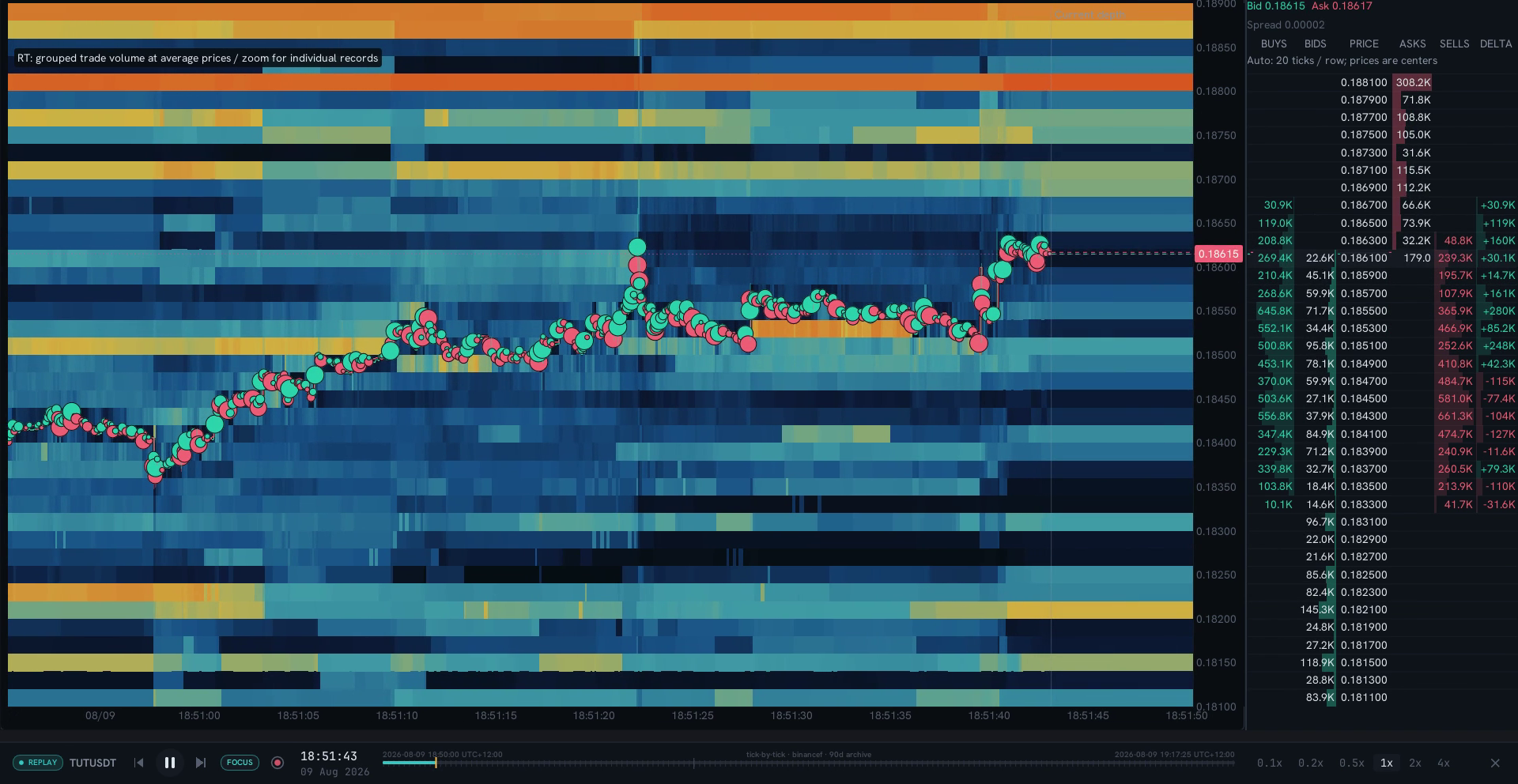
TUT/USDT · Binance Futures · Recorded 9 Aug 2026 · RT replay detail · Select image for full capture
- 01
Start before the move
Choose a covered market and time. You did not need to have the symbol open or record it yourself.
- 02
Set your own pace
Pause, seek or change playback speed. Pro supports speeds from 0.1× to 4×.
- 03
Read the same evidence
Return to the recorded sequence. Compare your first impression with what the book and trades actually show.
Inside the candle
See where the volume traded.
Footprints put buying and selling at each price. Inspect closed minutes around the move, then return to the tick sequence for a closer look.
Learn to read order flow ↗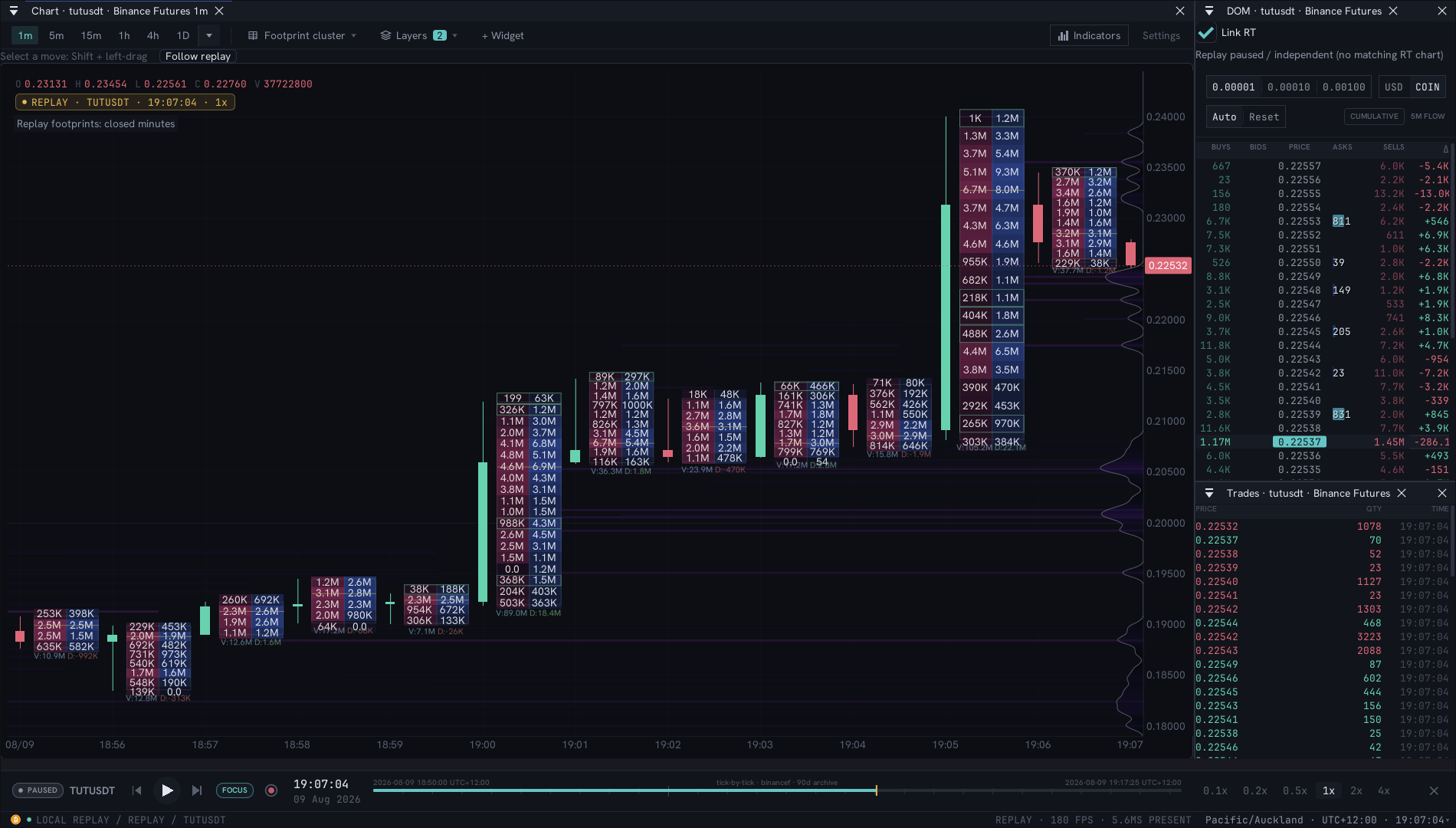
TUT/USDT · Closed one-minute footprints · 9 Aug 2026, 06:56–07:06 UTC
The same TUT recording · Detail of executed volume at each price
One example is a beginning
Review it. Then challenge it.
A memorable replay can suggest a question. Research lets you test supported conditions across other recorded cases and compare what followed.
Take a question into Research ↗Markets, dates and access
Pro includes 90 days across 670 recorded Binance USDT-M crypto perpetuals, within available dates and streams. Newer Hyperliquid and Bybit recordings have shorter available histories; check the selected market, time and streams before opening replay. Research history and tick replay have different coverage and access.
What the recording contains
Trades, book updates, best bid and offer, liquidations, open interest and funding depend on the recording. Missing observations are not an inactive market. RT depth is sampled and dense trade history can be grouped.
What a replay can tell you
Replay helps inspect one sequence. Knowing the outcome can influence interpretation; a single case does not establish how often a setup succeeds or whether it survives costs and execution.
Coverage and plan access vary. Compare plans · See what is in development
Explore it for yourself
Give the move a second look.
Open the public recording and explore the order flow for yourself.
90 days of Binance replay on Pro · Hyperliquid about six weeks and Bybit about two weeks recorded so far · No personal recording required