Order flow. In your browser.
Open source. Yours to run.
See resting orders, watch trades and replay recorded markets. The C++/WebAssembly terminal behind EdgeDepth, ready for a local feed or your own data.
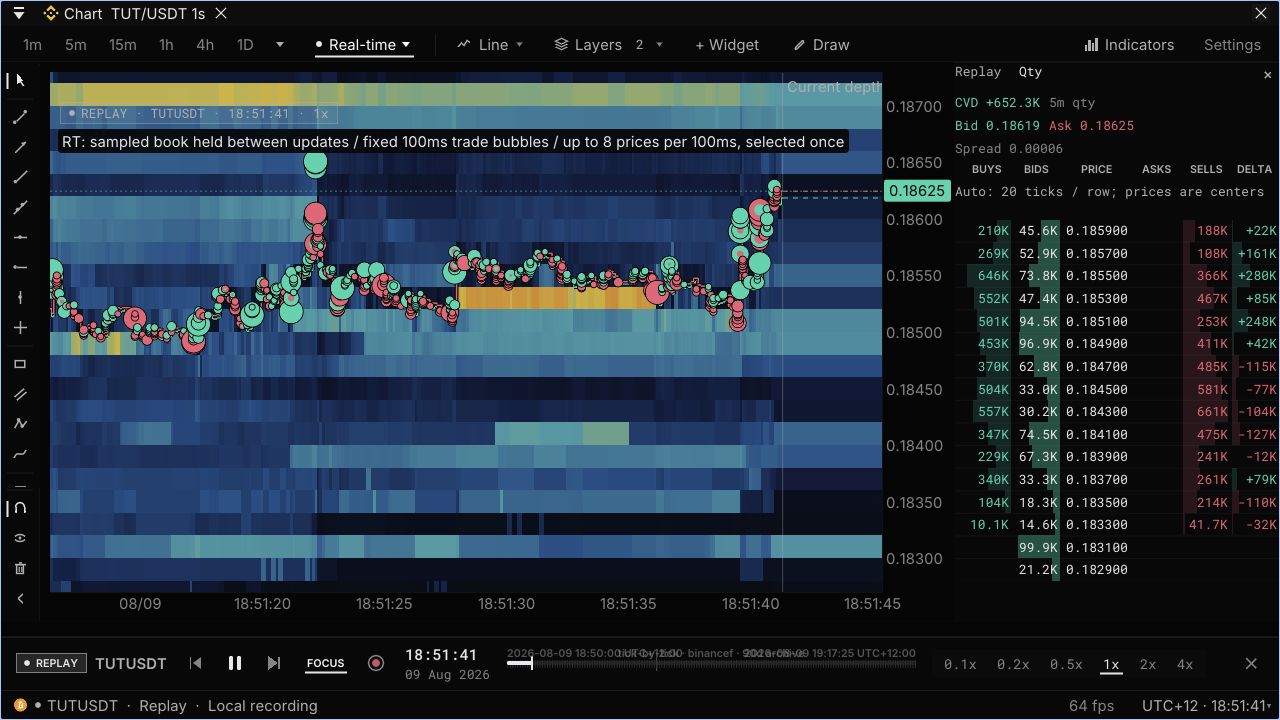
Actual OSS build, captured 1 October 2026. Binance TUT/USDT perpetuals from 9 August, replayed locally from a public recording. No account or live feed.
Video description
A silent screen recording of the OSS terminal replaying TUT/USDT at 1× speed. The depth heatmap shows resting orders, trade bubbles mark executions, and the attached ladder displays bids, asks and traded volume. The replay clock advances through the same recorded market; this is not a live feed.
Playback is unavailable here. Use the MP4 link or full-size screenshot above.
Read the market
Depth heatmaps, trade bubbles, an order-book ladder and trade tape. Candles down to 1 second, with indicators and drawing tools.
Look inside a candle
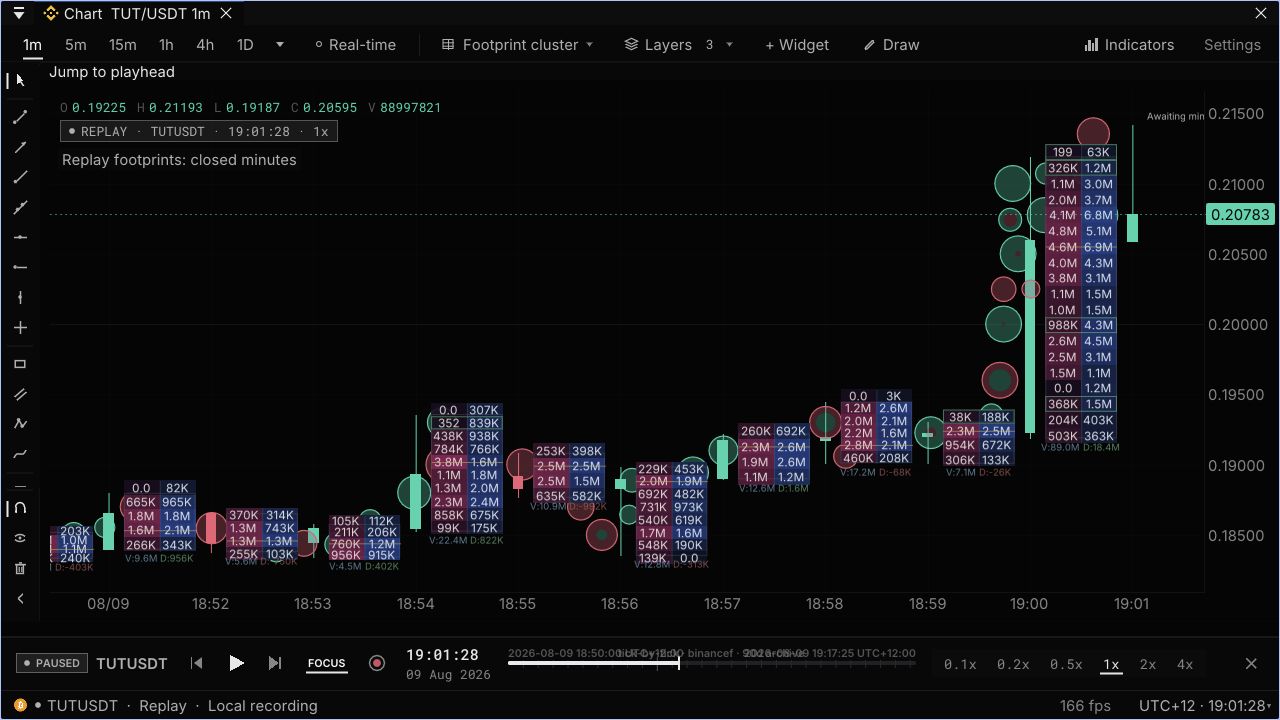
Footprints show buy and sell volume at each price. Add imbalances and volume profiles where your data has coverage.
Replay and make it yours
Pause and scrub local .edpack recordings. Dock panels, save layouts, inspect the source and connect your own feed.
Your first workspace.
Install Git and Docker with Compose, then run:
git clone https://github.com/edgedepthhq/edgedepth-terminal.git
cd edgedepth-terminal
docker compose up
Open localhost:8080. This starts the terminal and community gateway on Binance's public market data. No account or API key required.
Setup and troubleshooting ↗Start live
Select a market, then choose Real-time for depth and trade bubbles.
Or open a recording
Choose Replay → Open Replay Library and pick a free recording.
Prefer no installation? Open the hosted terminal →
See where volume traded.
Switch from the depth view to footprints in the same workspace. Both are included in OSS.
The terminal is open. Hosted services are separate.
Local real-time depth, sub-minute candles and pack replay need no Pro subscription.
Your feed and recordings
The gateway supplies public Binance data and candle history. Depth starts with what you observe; footprint and profile history is bounded. A pack contains only its recorded markets, times and streams.
No hosted data or research service
EdgeDepth's historical archive and research engine are separate. Analytics panels such as VPIN and positioning need compatible streams that the community gateway does not supply.
You operate it
Exchange access, connection gaps and storage are yours to manage. Missing data stays missing.
Want the data stack taken care of?
Hosted EdgeDepth adds managed feeds, recorded history and tools to test an idea against other cases. Start free; upgrade when you need more.
Pro
Follow markets. Investigate what changes.
- Managed feeds for Binance USDT-M, Hyperliquid and Bybit perpetuals, with live depth and hosted analytics.
- Up to 90 days of available Binance tick replay. Hyperliquid and Bybit have shorter recorded histories.
- 50 research credits a month to test conditions and compare outcomes with a baseline.
Research
More room for your own investigations.
- Everything in Pro, with deeper available tick replay.
- 300 research credits a month, shared across the web app, API and MCP.
- Personal onboarding, a first-study review and priority answers.
Research history and tick replay have different coverage. A credit is not necessarily one study. See current plans for allowances and access.
Bring your data. Shape your workspace.
CSV/Parquet walkthrough · Wire protocol · Contributing
Is OSS a trial?
No. The terminal is AGPL-3.0 and the gateway is MIT. You can run the self-hosted setup without an EdgeDepth account, subscription or time limit.
Can I use my own data?
Yes. Connect a feed that implements the documented WebSocket/protobuf contract, open an .edpack recording, or use the CSV/Parquet adapter walkthrough. Available views depend on the data you provide.
Can I place live orders?
The public setup is for market analysis and replay. Keep live order execution on your exchange or execution platform.