Compare · ATAS
EdgeDepth vs ATAS
ATAS covers futures, stocks and crypto. EdgeDepth is built only for crypto perps.
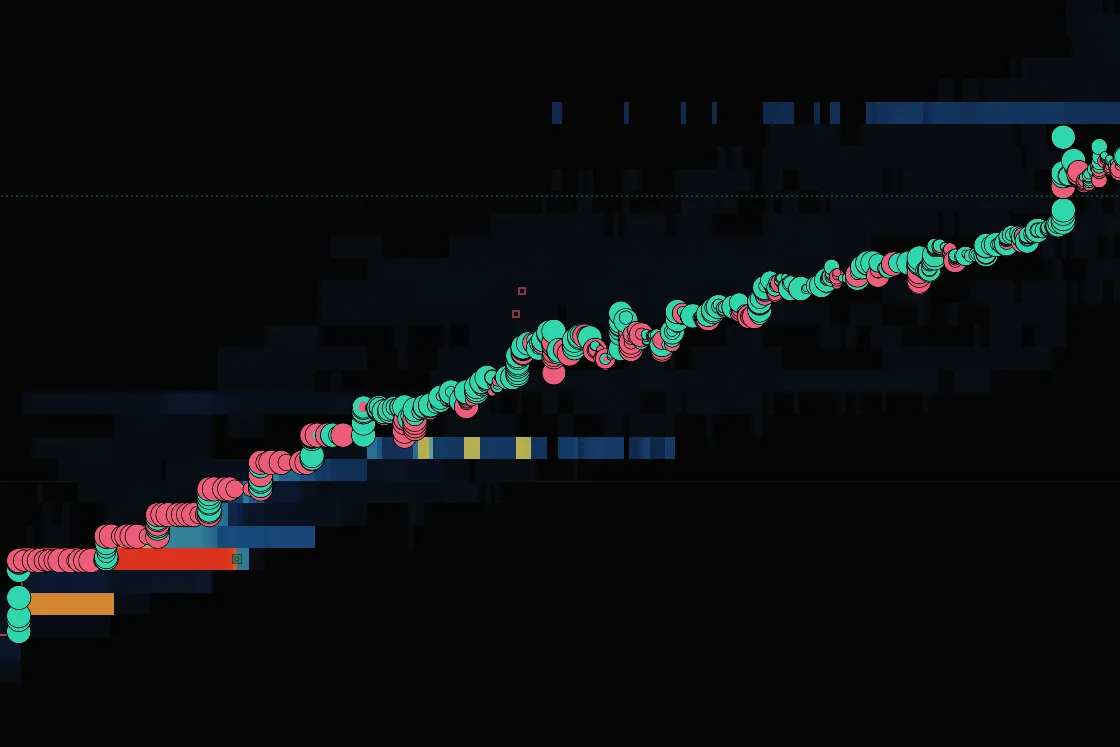
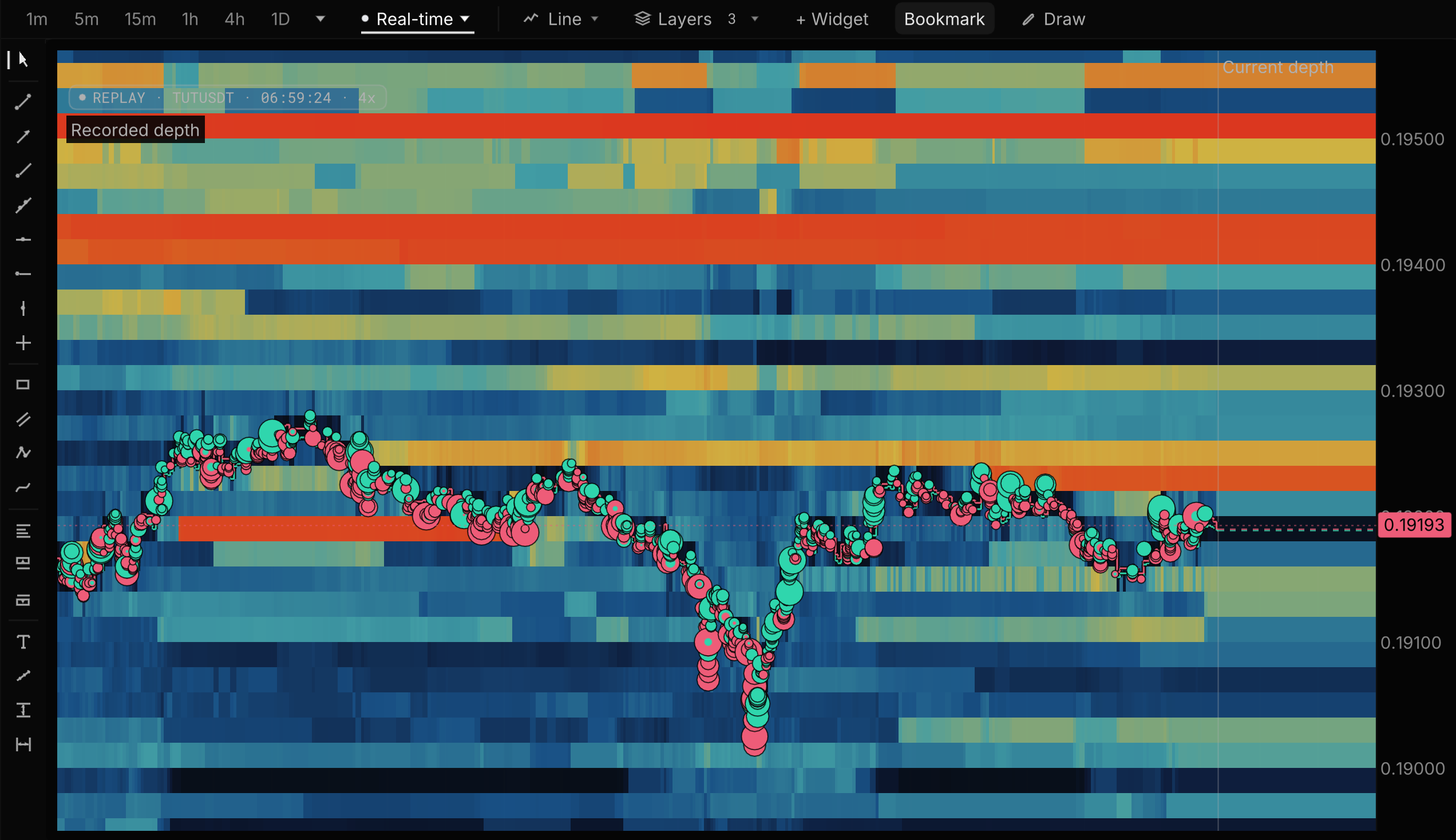
Both read footprints and the order book. EdgeDepth records every Binance perp for replay from the candle you right-click, draws liquidations three ways including Hyperliquid’s real positions, and scores its liquidation maps in public, in the browser.
What EdgeDepth adds
-
Built only for perps
ATAS lists futures and stocks beside eight crypto exchanges, and Hyperliquid is not among them. EdgeDepth does perps only: every Binance perp recorded tick by tick, with Hyperliquid and Bybit, and liquidations reported, estimated and from real Hyperliquid positions.
-
Replay from the chart
ATAS Market Replay downloads the date you select from its servers: 3 months on 5 instruments on paid plans. In EdgeDepth, scroll back on any recorded Binance perp, right-click a candle and replay the book and trades from there.
-
In the browser, footprints free
ATAS is a desktop app with a beta browser prototype. EdgeDepth runs in a browser tab, with footprint and TPO free on every market and its liquidation maps checked against what happened every day, misses included.
Side by side
| Question | ATAS | EdgeDepth |
|---|---|---|
| Replay | Market Replay from ATAS servers for a selected date, including a Ticks + DOM mode. Paid plans: 3 months on 5 instruments; lifetime licences: 20 instruments, no limit. | Scroll back on any chart, right-click a candle and Replay from here: the recorded book, every trade and reported liquidations, tick by tick, in the browser. Up to 30 days of Binance on Pro, plus Hyperliquid and Bybit. |
| A day you did not watch | Within those Market Replay limits. | Recorded on our servers whether or not you were watching: Binance order books from 15 May 2026 (majors) and 5 June 2026 (every market). Order-book replay covers the last 30 days on Pro and 90 on Research; older days stay searchable, and archived moves keep their full replay. |
| Liquidations | Exchange-reported liquidation orders, and aggregated liquidations from Coinglass. | Reported liquidations on every market with Pro, Hyperliquid real-position levels, and liquidation maps scored in public every day, misses included. |
| Platform | Windows and macOS desktop; "Open in browser (Beta)", a web prototype. | Browser. No install, nothing to record or download. |
| Markets | Binance, Bybit, OKX, Bitget, Bitfinex, Kraken, Phemex and WhiteBIT, plus futures and stocks. Hyperliquid not listed. | Binance USDT-M, Hyperliquid and Bybit perpetuals, live and recorded. Research history on Binance USDT-M. |
| Testing a setup | C# strategies in Market Replay, one instrument at a time; the marketplace Strategy Builder backtests on closing prices. | Research (work in progress): count every past time a setup appeared across the recorded Binance markets, using order-flow readings like book imbalance, then see what trading it would have paid after fees and slippage. |
| Price | START free; PLUS €24.95, PRO €69.95, ULTRA €89.95 a month; lifetime from €999. | Free: Bitcoin live depth all day. Pro $29/mo, or $20/mo billed yearly. |
Scored in public
Every level we draw is checked against what happened.Misses included.
Any tool can draw bright lines. Without a score, you cannot tell a level that matters from one that just looks good. A map that shows its misses is one you can believe when it hits.
 BTC/USDT
  Binance Futures
5 to 12 Oct 2026 · 8 scored days
9%of the time, price sat at our BTC levelsabout 15 of 172 hours scored
64%of the liquidated dollars came in those minutes$197.76M of $308.58M reported
Price at our levelsEverywhere else
7.2×the average rate of liquidated dollars, while price sat at our levels
How it is scored
- We checked 11 liquidation map and heatmap tools on 4 October 2026. None published how often its levels met real liquidations.
- The harder test is still running: we wrote down the pass and fail rules for our liquidation rails before 13 October, and publish the result on or after 16 November, pass or fail. Read the registered test →
- Liquidations bunch up in big moves, which also reach more levels, so the time bar flatters the map. Binance’s reported feed is a lower bound, so dollar figures are a floor.
When ATAS is the better choice
- You want 240+ indicators and 400+ footprint variants.
- You trade futures and stocks as well as crypto, or need the MBO bundle or options analytics.
- You place orders through connected exchange accounts.
- You want a lifetime licence.
Use both
Keep ATAS for its indicator depth and execution. Use EdgeDepth to replay a crypto move straight from the chart, with the liquidations that drove it.
Questions
Does ATAS have hosted replay? #
Yes. ATAS Market Replay downloads data from ATAS servers for the date you select, with a Ticks + DOM mode. Paid plans cover 3 months on 5 instruments; lifetime licences 20 instruments with no limit. EdgeDepth replays from the candle you right-click, on any recorded Binance market, in the browser.
Can I try EdgeDepth before paying? #
Yes. Watch Bitcoin live, free, all day, and replay a recorded move with no sign-up. A free account also replays the past 3 days of BTCUSDT and any archived move from the past 7 days. Footprint and TPO are free on every market.
EdgeDepth is in early access. Is it ready to use? #
Yes. Live order flow, tick replay, the event archive and the liquidation maps are live today. Early access means the workflows around them are still improving, and Research is still in development. Paid plans carry a 14-day money-back guarantee. Founder rate: your price never rises while you stay subscribed.
Sources, checked 14 Oct 2026
Watch Bitcoin live.
Free, all day.
Then replay a recorded move with no sign-up, tick by tick, with the liquidations behind it.
No card · Not a trial · 14-day money-back on paid plans