Starting a replay
Right-click any chart → Start Replay: the transport bar, scrubbing, chapter marks, speeds, and the 90-day window.
For an available recorded Binance market and time within your replay access:
- Right-click anywhere on any chart.
- Choose Start Replay: the menu shows the timestamp under your cursor.
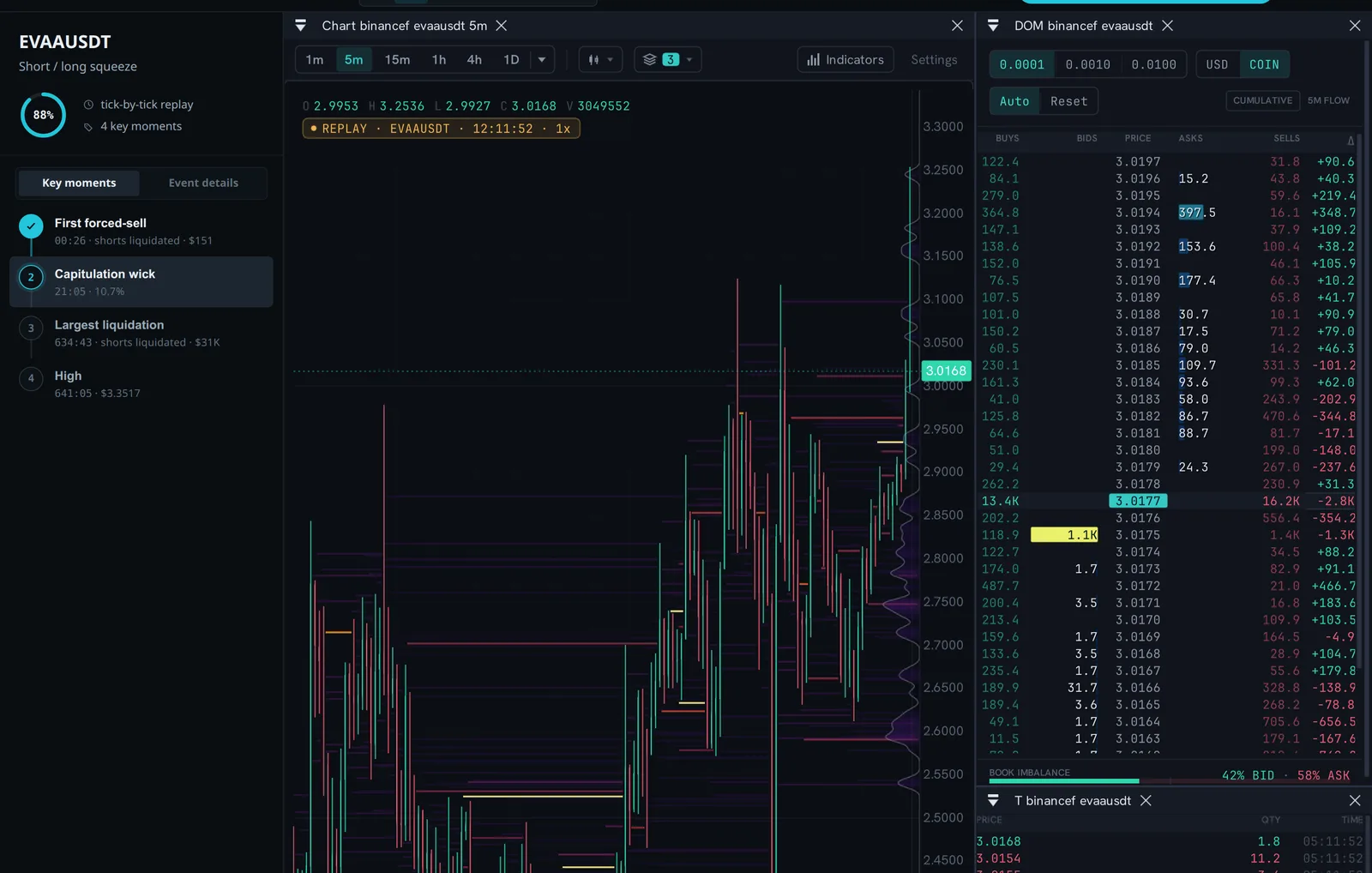
- The terminal switches to replay in place. The amber
REPLAYbadge on the chart and the transport bar are the only visual differences from live.
No exports, no setup, no separate app - FILUSDT last Tuesday at 03:47 is three clicks away.
The transport
The bar at the bottom gives you play/pause, the current replay timestamp, a scrub track with chapter marks, and speed control from 0.1× to 4×. You can pause on a single tick and step through the tape print by print.
Two details worth knowing:
- Scrubbing previews, releasing seeks. Dragging the playhead previews the position; the actual seek fires once, when you drop it. Seeks are deliberate, not a firehose.
- Speed changes how you study. 4× to survey the run-up and find the moment that matters; 1× to watch it as it happened; 0.2-0.5× when you’re reading the ladder and tape through the decisive seconds. A common loop: fast pass to find the flush, slow pass to understand it.
What’s being replayed
Replay re-runs the available recorded feed through the same engine that renders live: the tape re-prints, the book re-builds delta by delta, VPIN re-computes, open interest and funding tick along, and the liquidation map is reconstructed under the replay engine’s model. This is a reconstruction of market state, not a scrolling chart - with repeatability depending on fixed inputs and engine state.
Read the available streams and coverage before interpreting an absence. A candle scroll can teach you what price did; only a full-state replay can teach you what the market did - where the book thinned, when the prints turned one-sided, which cluster on the map finally gave way.
The window
The Pro rolling replay window covers up to 90 days on recorded Binance markets, subject to available data. On the free tier you can replay one fully archived 24-hour UTC day on 6 majors at up to 1×; Pro unlocks the full 90 days, up to the live edge, on all pairs at up to 4×; Research reaches the recorded order book (from 15 May 2026). The floor under every window is the book itself. Order-book replay covers windows from 15 May 2026; earlier days are searchable but hold trades and candles only, so they cannot be replayed on any plan. Archived events escape the window entirely: once an event is archived, it stays replayable permanently.
A study workflow that works
Pick the day’s ugliest chart from the watchlist (or an event from the archive). Replay from an hour before the break at high speed, watching only the heatmap and OI build. Then rewind and take the last ten minutes slowly, watching only the ladder and tape. Then once more, watching yourself: where would you have acted? Because the replay is deterministic, the tape never changes - only your read does. That’s the whole point.
Looking for a calculation? Open the Reading library. For recorded exercises, browse guided lessons.